Delete your account
Deleting your account removes your login, every site on it and all their history, and cancels a paid plan straight away. It cannot be undone. Links already applied stay in your posts as ordinary links.
Steps
Ask for a refund first, if you are inside the 30 days
Deleting cancels a paid plan straight away, and the unused part of the period isn’t refunded unless you are within 30 days of your first payment. If you are, ask first: see refunds.
Open Sign-in and account from the account menu
In Silotree, press the round button with your initials at the top right of any screen (or of Your sites), then Sign-in and account. Delete your account is at the foot of the page.
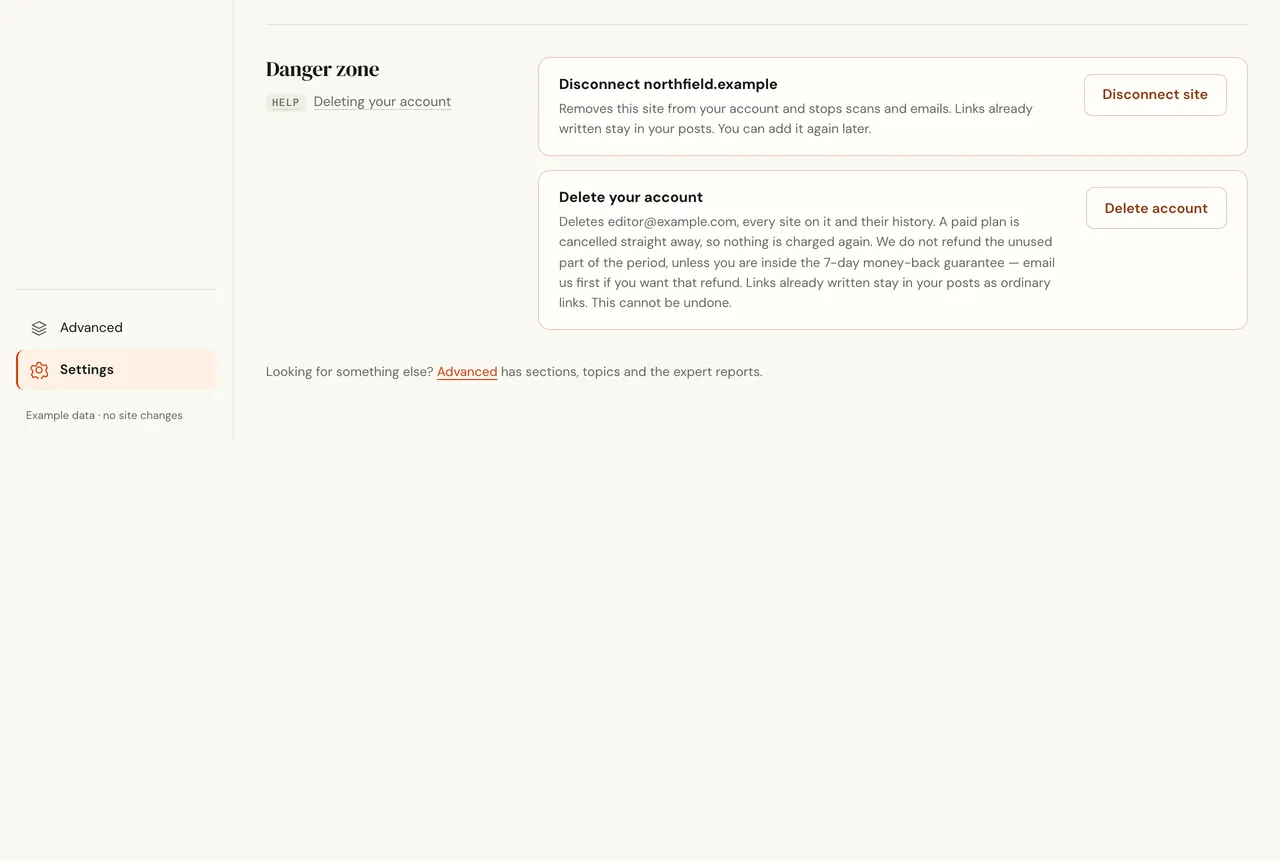
Delete account removes everything. Remove from my account, in each site’s Site settings, takes one site off it. Press Delete account
Under Delete your account, read what is deleted, then press Delete account.
Confirm with your password, or your email address, and press Delete my account
Type your password in Your password and press Delete my account. Your password is the confirmation.
An account made with Google has no password. The box reads Type your email address to confirm instead: type the address exactly, then press Delete my account.
Remove the plugin from WordPress
Deleting your account doesn’t change your WordPress site. The plugin stays installed, but Silotree no longer knows the site, so its Silotree panels say Silotree does not recognise this site any more. Remove the plugin there too, and choose what happens to its links: see uninstall the plugin.
What you should see
You are signed out and the home page says Your account and data are deleted. Your login, every site on the account, their scans, suggestions, history, briefs and Search Console data are gone, Silotree’s access to Google is revoked, and any paid plan is cancelled. Links already written stay in your posts as ordinary links. This can’t be undone.
If it doesn’t work
- “That password is not right”
Check it and try again. Forgotten it? Sign out and use Forgotten your password? on the log-in page to set a new one first.
- “Type your email address exactly to confirm”
Type the address your account uses: Delete your account names it. Letter case doesn’t matter.
- “We could not cancel your subscription just now, so nothing was deleted”
Silotree won’t delete an account while it might still charge you. Try again in a minute, or email us and we will cancel the plan and delete the account for you.
- I only want to remove one site
Open that site’s Site settings. Under Remove from my account, at the foot of the page, press Remove from my account, type the domain and press it again, now Remove example.com from my account with your domain. Your account and other sites stay, and you can add the site again later, though not with a second free trial. Removing it clears what you connected for it: the WordPress connection and any Application Password, the Search Console connection and its data, and your share links to its reports. Weekly writing and auto-approve stop. Nothing in your WordPress posts changes. For what else Silotree keeps, see the privacy policy.
Questions
What is deleted?
Your account, every site on it, their pages, suggestions, links history, Search Console data and briefs. Silotree’s access to Google is revoked.
I signed up with Google and have no password. How do I confirm?
An account made with Google confirms by typing its email address instead. The box says Type your email address to confirm.
Can I remove just one site instead?
Yes. At the foot of that site’s Site settings, press Remove from my account, type the domain and press Remove from my account again. It takes one site off your account and keeps the account; the site and its posts are not deleted. Silotree clears the WordPress connection and any Application Password, the Search Console connection and its data, and your share links to the site’s reports, and stops weekly writing and auto-approve. You can add the site again later: your history for it (links approved, skipped and sent) comes back with it, and while your trial runs it rejoins that same trial with the same end date. It never gets a second free trial, and anyone else who adds it sees none of your history.
Is anything kept?
A record that the domain has had its free trial, so the same site does not get a second trial on a new account. Your receipts are with Creem, which sent them. The privacy policy has the rest.