Fix broken and redirected links
Broken links lists every internal link that leads somewhere it shouldn’t: to a page that is gone, through one or more redirects, or to a page you have told Google to skip. The common fixes are ready to apply in one go, and can be undone.
Steps
Open Broken links
Open Broken links in the sidebar. The count beside it is the number of links that need attention.
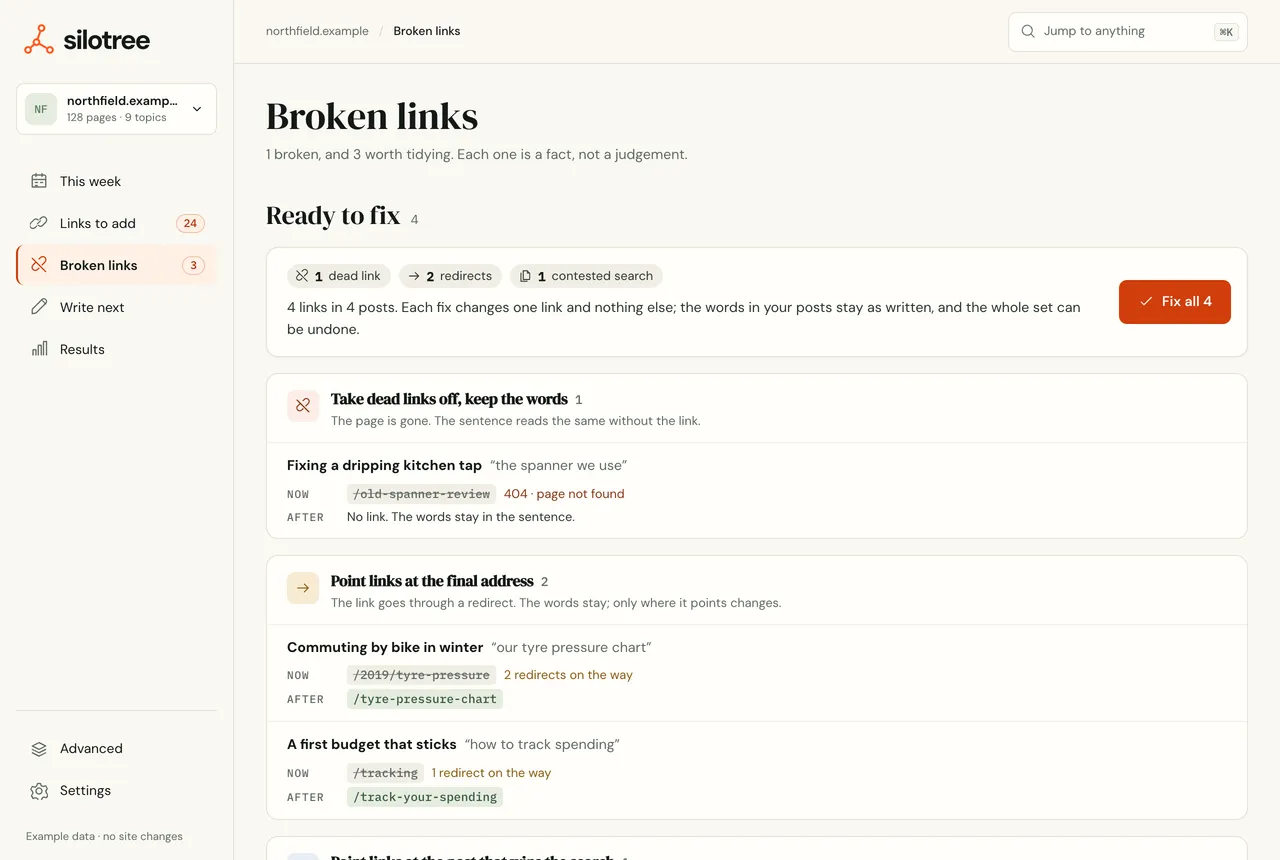
Broken links, with the fixes Silotree can make for you at the top. Read the groups
- Links to pages that are not there: the target answers “not found”. See broken link.
- Links that bounce through several redirects and Links that go through a redirect: they work, but every reader and crawler takes a detour.
- Links to pages you have told Google to skip: the target is set to noindex.
- Links whose words say nothing, like “click here”.
Each group lists 40 rows, then says how many more there are.
Check Ready to fix, row by row
Under Ready to fix, each row shows the link Now and After. There are three kinds of fix:
- Take dead links off, keep the words: the link is removed and the sentence stays as it reads.
- Point links at the final address: the link skips the redirect and goes straight to where it ends up.
- Point links at the post that wins the search: see fixing competing posts.
Press Fix all
Press Fix all. The fixes are written as one batch, with a revision of each post saved first. Each row then says Fixed, Not changed or Skipped. Fixes don’t count towards the free plan’s 10 links.
Undo from the message if you need to
A message sums up — for example 12 links fixed, 1 could not be changed — with Undo for ten seconds. After that, undo the batch from Results → Changes & undo, like any other (see write and undo batches).
What you should see
Each fixed row says Fixed. In your posts, dead links are now plain words and redirected links point at their final address; the next scan confirms it.
If it doesn’t work
- “Fixing them needs the WordPress plugin”
The fixes are ready but your site isn’t connected. Press Connect WordPress — see connect WordPress.
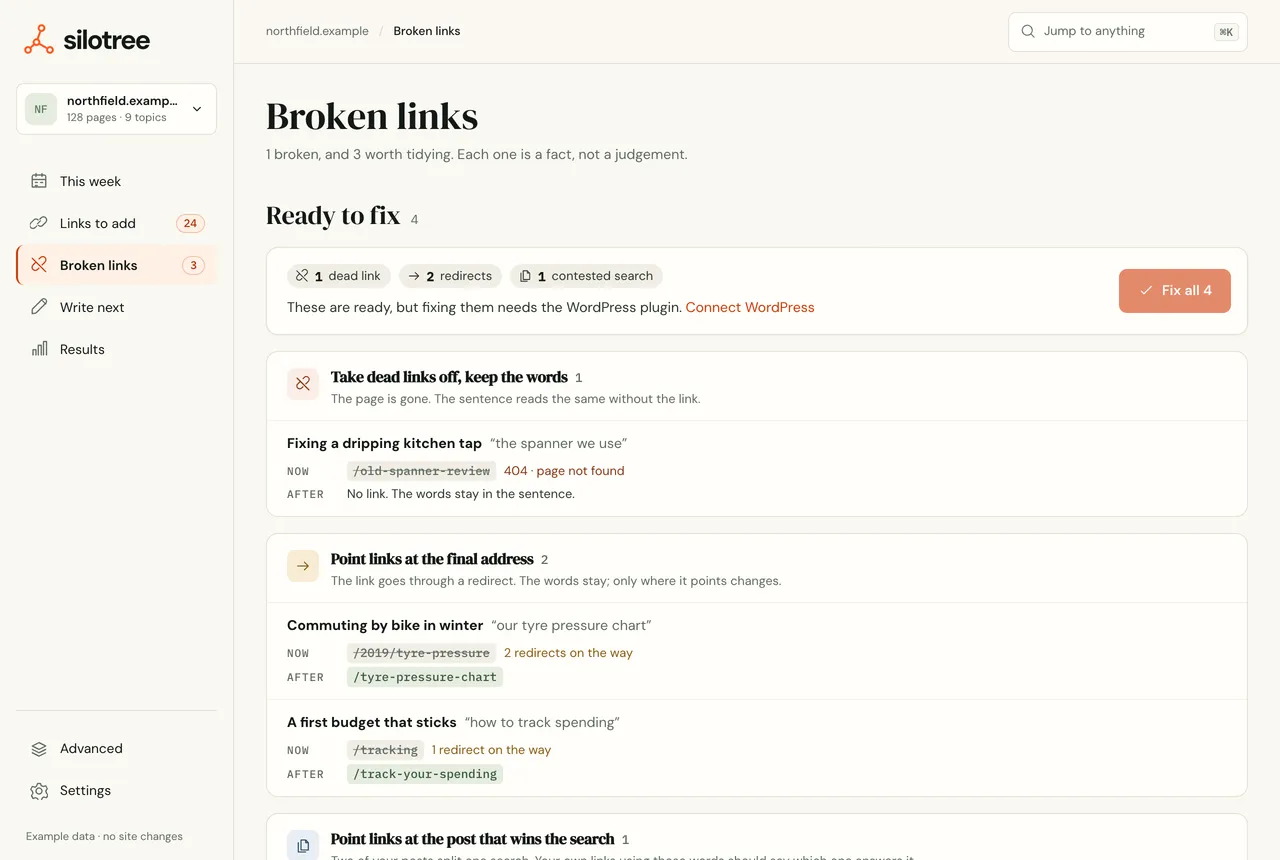
Without the plugin, the fixes are listed but can’t be written. - An affiliate or outgoing link was left alone
Links off your site, and links through affiliate-style paths such as
/go/or/recommends/, are never changed.- A row says Not changed
The link has been edited since the scan, or sits somewhere Silotree won’t write. See a link didn’t land, and fix it by hand in WordPress.
For where broken links fit in a full check-up, see the internal link audit checklist.
Questions
Do broken link fixes count towards the 10 free links?
No. Fixing a link that is already in your posts never uses your free allowance.
Will it touch affiliate links?
No. Links that leave your site, or go through an affiliate-style redirect such as /go/ or /recommends/, are left alone.