Plans and limits
Every plan has a flat price and nothing metered. Plans differ in how many sites you can add, how many pages each scan reads, and whether Silotree writes the links you approve. This is how to see where you are, and what happens at each limit.
| Plan | Price | Sites | Pages read per scan | Links written into WordPress |
|---|---|---|---|---|
| Free | Free | 1 | 500 | The first 10 |
| Solo | $19 a month, or $190 a year | 1 | 5,000 | Unlimited |
| Studio | $49 a month, or $490 a year | 5 | 20,000 | Unlimited |
| Agency | $129 a month, or $1,290 a year | 25 | 50,000 | Unlimited |
Every plan reads your whole audit, as often as you like, with every finding as a CSV and the weekly email. Paid plans add auto-approving strong matches; Studio and Agency add briefs for the posts your site is missing. Every paid plan has a 7-day money-back guarantee. The full list is on the pricing page.
Steps
Open Settings → Plan & billing
In Silotree, open Settings and scroll to Plan & billing (or follow Plan & billing in the list at the top of Settings).
Read your meters
Your plan names your plan. On the free plan, Free links written counts towards 10; on a paid plan it says links written are unlimited. Sites shows how many of your plan’s sites you use.
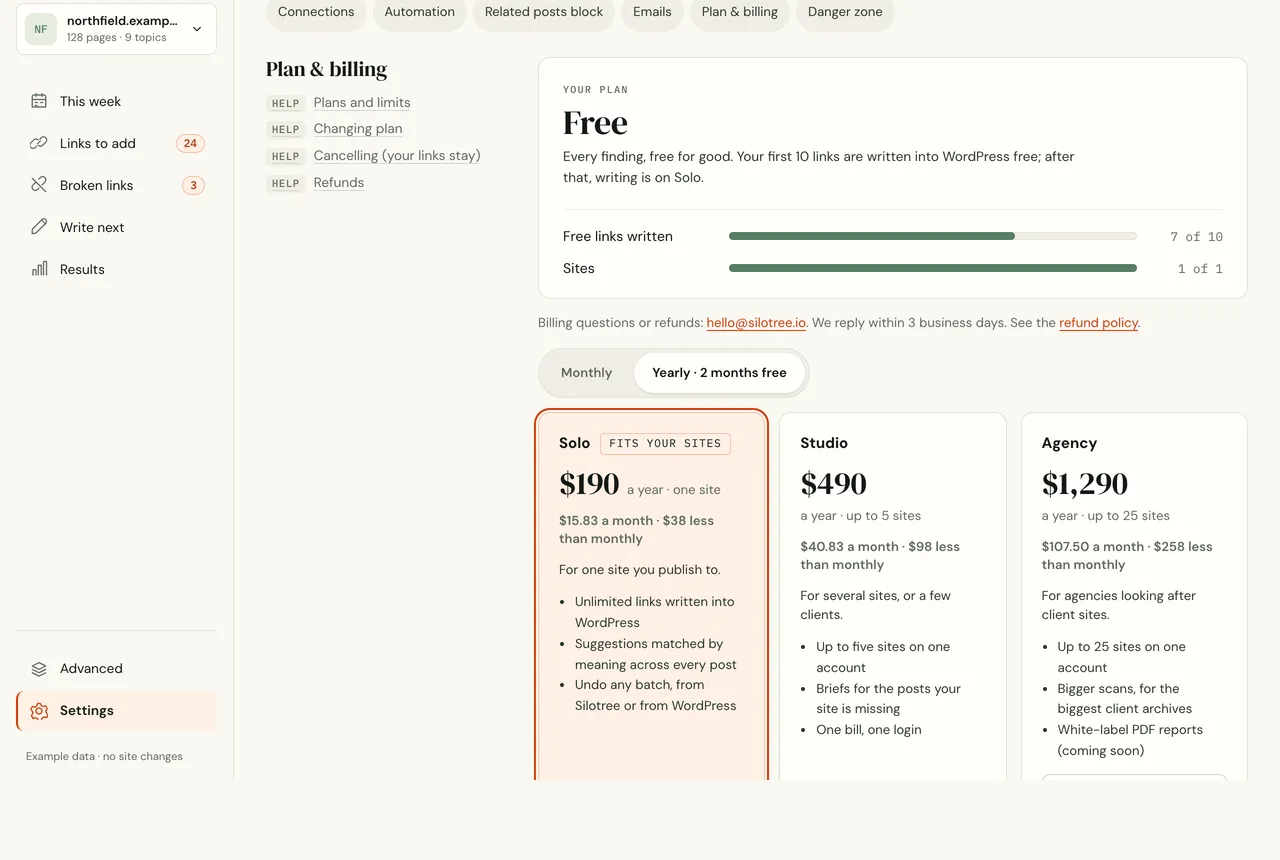
Plan & billing on the free plan, with the meters and the plans you can move to. Compare the plans
The plan picker below shows the plans above yours, with Fits your sites on the smallest one that covers the sites you have. To move, see upgrade or change your plan.
What you should see
You know which plan you are on, what you have used, and what each limit does when you reach it:
- 10 free links written. Approving stays free. Links you approve after that are saved, and written the moment you move to a paid plan. Links already written stay. Broken-link fixes never count.
- Sites. Adding one more says Your plan covers 1 site and offers the plan that fits. Sites you already have keep working.
- Pages per scan. A bigger site is read up to the limit, and the screen says the results cover the first pages of a larger site.
If it doesn’t work
- The scan stopped at the page limit
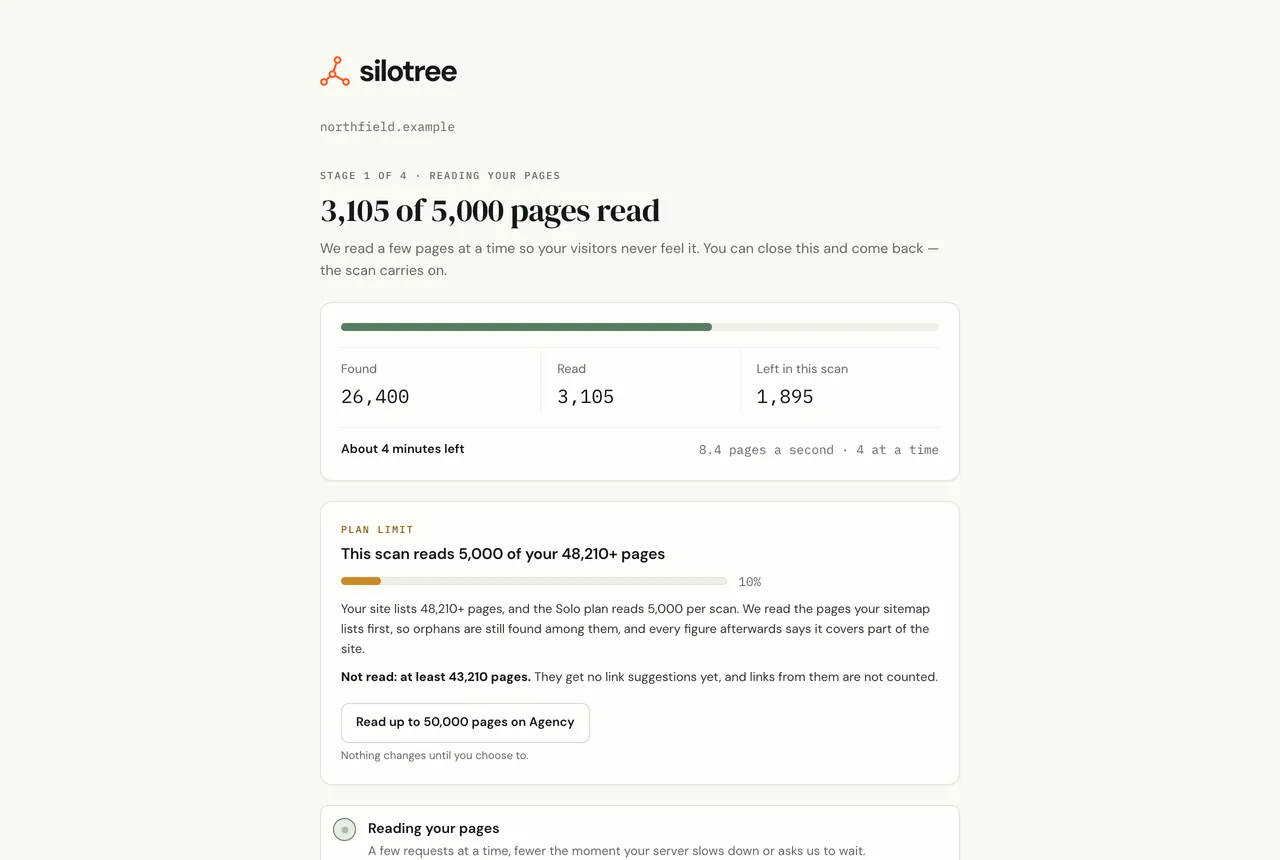
When a site is bigger than the plan’s limit, the scan says so before it finishes. Results cover the pages read. To read more, move to a bigger plan; the next scan reads up to the new limit. Scanning one folder, such as
/blog/, on the free checker also keeps within the limit.- My plan changed but the meters didn’t
Payment confirmation from Creem can take a minute. Refresh Settings; if it still hasn’t switched, see upgrade or change your plan.
Questions
What happens after my 10 free links?
You can keep approving: every link you approve is saved, and written the moment you move to a paid plan. Links already in your posts stay.
What if my site is bigger than my plan’s page limit?
The scan reads up to the limit and says so. Results cover the pages it read; a bigger plan reads more on the next scan.