Fix a crawl that was blocked or stopped short
Silotree reads your site like a search engine does, as SiloTree/1.0. If something stops it — robots.txt, a firewall, a security plugin, a server that answers slowly — the scan reads fewer pages than you have, or none.
Steps
Read what the scan screen says
While a scan runs, the screen counts pages found, read and left, and says when your server has slowed it down. If it stops, it says That crawl did not finish or That crawl hit a problem, with the reason, and nothing on your site was changed. A line such as 12 skipped: blocked by robots.txt, a redirect elsewhere, or not a web page counts what was left out.
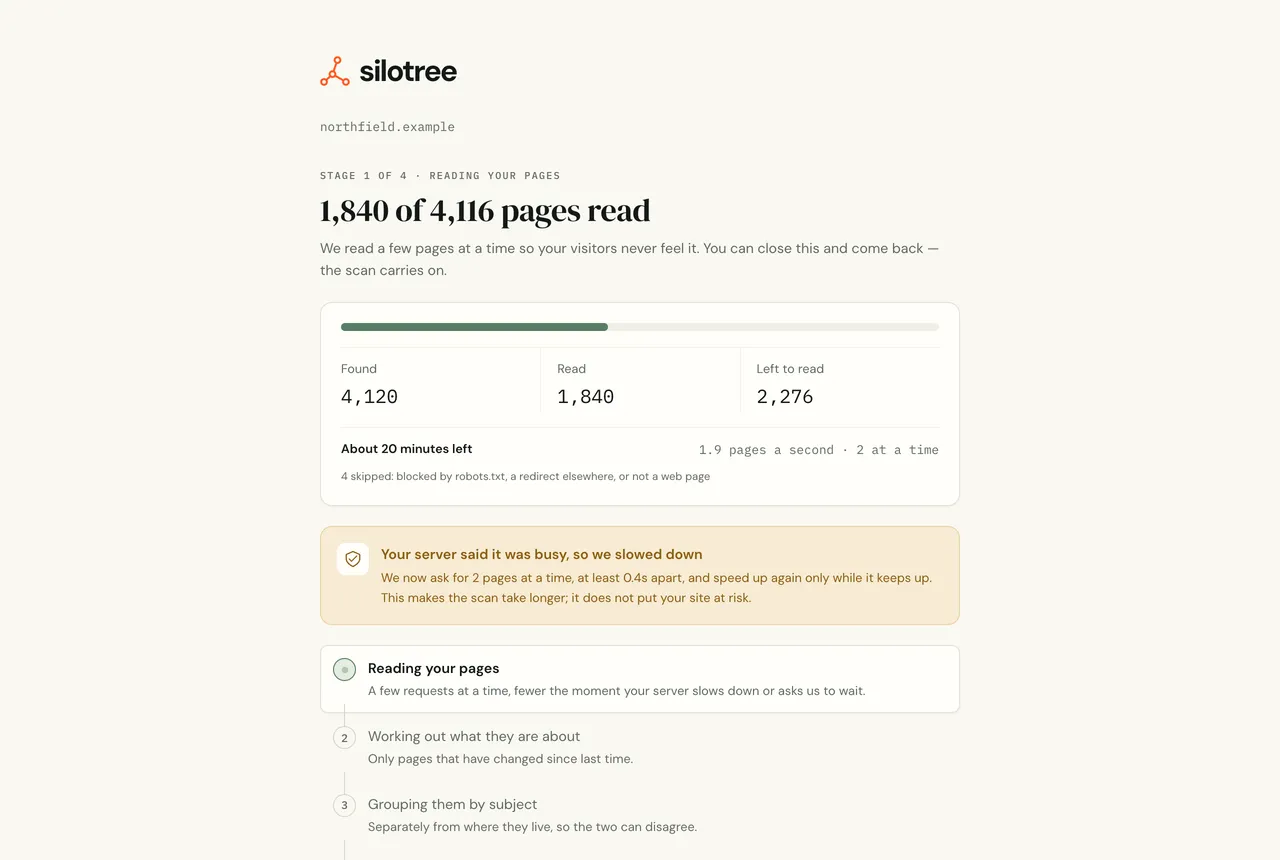
When your server asks for a slower pace, the scan says so and carries on. Check your robots.txt for SiloTree
Open
yoursite.com/robots.txt. Silotree’s crawler, a web crawler namedSiloTree/1.0, obeys the most specific group that matches it: aUser-agent: SiloTreegroup if there is one, otherwiseUser-agent: *. ADisallowthere blocks it; aCrawl-delayslows it to one page at a time. To let it read everything:robots.txt: let Silotree read every page User-agent: SiloTree Allow: /Let SiloTree/1.0 through your firewall or security plugin
Firewalls, CDNs and WordPress security plugins often block or challenge crawlers they don’t know. Add a rule that allows requests whose user agent contains
SiloTree/1.0, or exempts it from bot challenges and rate limits. Silotree doesn’t publish fixed IP addresses, so allow it by user agent. The full user agent is:Silotree’s user agent SiloTree/1.0 (+https://silotree.io/bot)A “checking your browser” page or a CAPTCHA stops the crawler the same way a block does: it never fills in forms or signs in.
Check the address you scanned
Scan the address readers use, with
https://and the rightwwwor not. A site that redirects every page elsewhere, a staging site behind a password, or an address on a private network can’t be read.Scan again
Press Try the crawl again on the scan screen, or run the free checker again.
What you should see
The scan reads every page your links reach, up to your plan’s limit, and the skipped count is small. A few pages skipped for redirects or non-web files is normal.
If it doesn’t work
- “We couldn’t read any pages at that address”
The home page itself was blocked, timed out or wasn’t a web page. Check robots.txt and your firewall (steps 2 and 3), and that the site loads in a private browser window.
- “We could only read 3 pages on yoursite.com”
The crawler reached the home page but found few links to follow, or was blocked after a few requests by a rate limit. Silotree follows links in your pages and your sitemap; if your posts are only linked from a JavaScript menu, it can’t see them.
- “That address is on a private network”
Use the public address of your site, not a local or intranet one.
- “Your server asked us to pause” or “Your server said it was busy”
Not a fault. Your server answered 429 or 503, or sent
Retry-After, and the crawler is giving it room. The scan carries on by itself; it just takes longer.- “Your robots.txt asks for 10s between requests”
A
Crawl-delayline applies to Silotree. Remove it, or set a smaller one in aUser-agent: SiloTreegroup, if you want scans faster.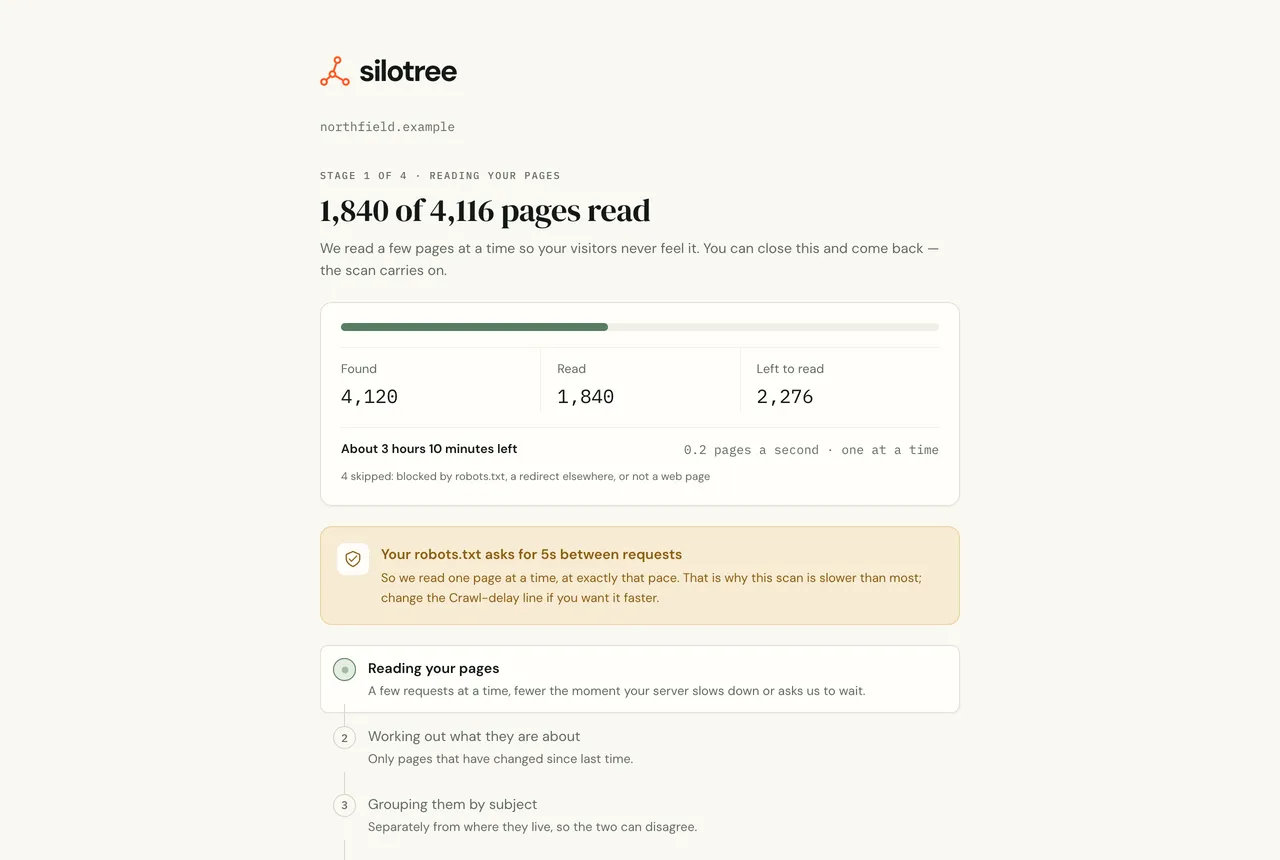
A Crawl-delay makes the scan read one page at a time. - “This scan reads 5,000 of your 48,210+ pages”
Your site is bigger than your plan’s limit — see plans and limits.
- “Something went wrong on our side while reading the site”
Press Try the crawl again. If it happens twice, tell us the address and roughly when.
How the crawler paces itself, and how to slow or block it, is on the page about our crawler. A crawl only finds pages your links reach, which is why posts nothing links to are hard for search engines too — see the click depth guide.
Questions
What is SiloTree/1.0 in my logs?
Silotree’s crawler. Its full user agent is “SiloTree/1.0 (+https://silotree.io/bot)”. It reads public pages only, never submits forms or signs in, and follows robots.txt.
Does Silotree publish its IP addresses?
No. Allow the crawler by its user agent, SiloTree/1.0, rather than by address.
Why did the scan slow down?
Your server asked it to, by answering 429 or 503, sending Retry-After, answering slowly, or setting Crawl-delay in robots.txt. Silotree eases off rather than adding load.