Approve links from the weekly email
Once a week Silotree emails you up to five links worth adding, each in its sentence, with Approve and Skip buttons. Approving from the email saves your choice; the links are written when you press Write in Silotree.
Steps
Open the email and read each link
The subject reads, for example, 5 links to add on yoursite.com this week. Inside are up to five links, best first. Each shows the post it goes in, your sentence with the linked words highlighted, and the post it points to. At the foot are this month’s results — links added, and how your Google impressions moved, observed rather than attributed.
A link shown in one email is held back from the next two, so you see new ones each week. If nothing is waiting and there is nothing to report, no email is sent.
Press Approve or Skip, then confirm
Press Approve or Skip under a link, or Approve all 5. A Silotree page opens and asks you to confirm — Approve this link? — so a link scanner opening the email can’t decide for you. Press the button to confirm. The buttons work for 14 days.
Press Write in Silotree
Approving from the email only records your choice; nothing is written yet. After approving, press Write 5 links in Silotree. Links to add opens with the bar ready, saying the links were Approved from your email; press the button there to write them — see write and undo batches.
To change how often it comes, open Settings → Emails
In Silotree open Settings → Emails and choose Weekly or Every two weeks. To stop it, press Unsubscribe at the foot of any email; the page that opens also offers Every two weeks instead. Unsubscribing applies to every site on your account.
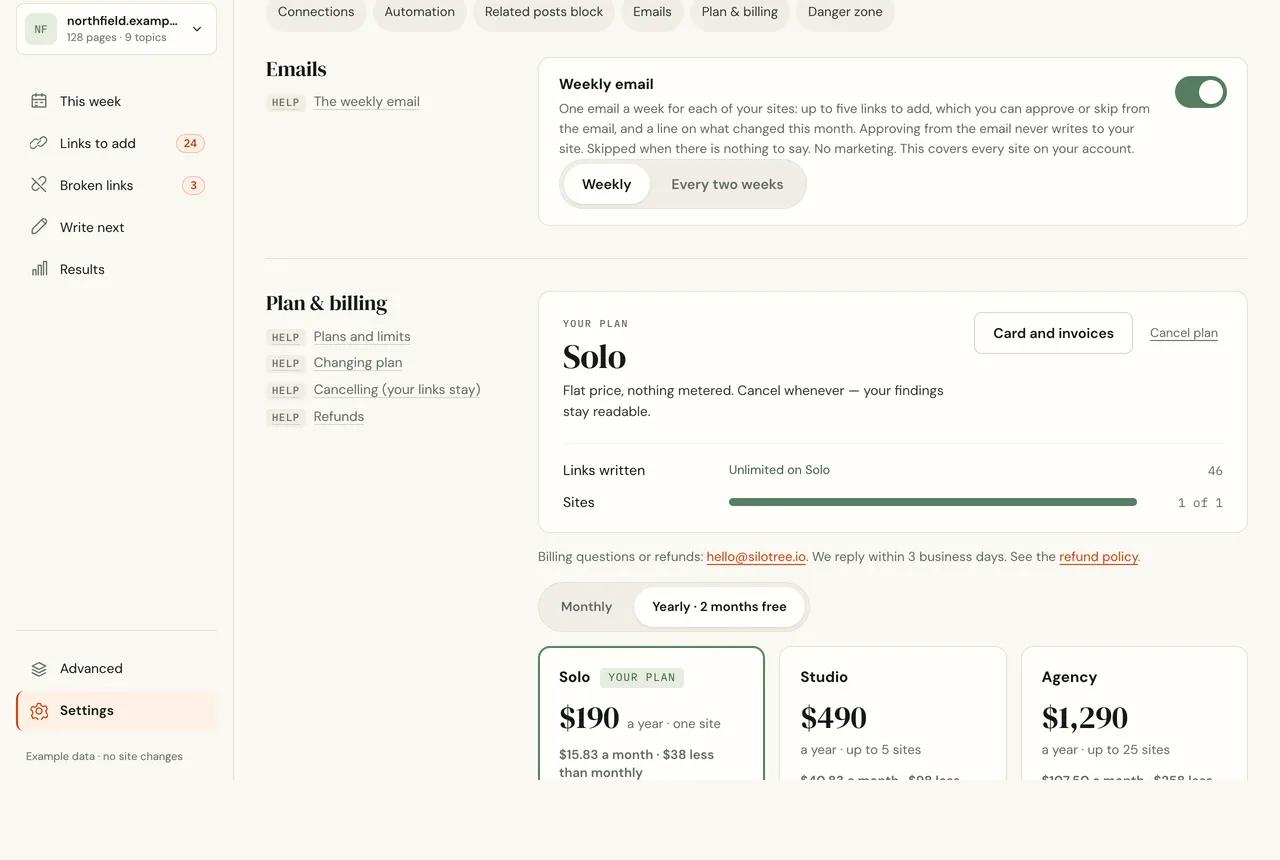
Settings → Emails. The choice applies to every site on your account.
What you should see
The links you approved are waiting in Links to add, marked approved, until you write them.
If it doesn’t work
- No email arrived
The first email goes out as soon as your first suggestions are ready; later ones about a week (or two) after the previous one. Check your spam folder, and that you haven’t unsubscribed in Settings → Emails. No email is sent when there is nothing to approve and nothing to report.
- “This link has expired”
Email buttons work for 14 days. Open Links to add instead.
- “Already decided”
You approved or skipped that link already, in Silotree or from an earlier email.
- I approved links but nothing changed on my site
That is by design: the email never writes. Press the button in Silotree. On the free plan, your first 10 links are written free — see plans and limits.
Questions
Which day does it arrive?
About a week after the last one: Silotree checks every hour and sends to each site when its previous email is seven days old (or fourteen, if you chose every two weeks). The first comes as soon as your first suggestions are ready.
How long do the email buttons work?
Fourteen days. After that the page says the link has expired; open Links to add instead.
Does approving from the email write to my site?
No. It only records your choice. Writing always happens from Silotree, when you press the button.