See your first links live
The moment the plugin connects, Silotree writes the links you approved in onboarding — up to ten — and shows you each one, with a button to open the post and one to undo the lot.
Steps
Connect the plugin with links already approved
Approve a few links on step 1 of Getting started (see approve your first links), then connect WordPress. Up to ten approved links are written the moment the plugin connects; on the free plan these are your ten free links.
Wait while the links are added
The step shows Adding your 3 approved links in WordPress. WordPress saves a revision of each post before it is changed, so every post can be put back.
Open a post to see a link
The panel changes to Your first links are live. Each row reads “words” in one post now links to another, with a View post button.
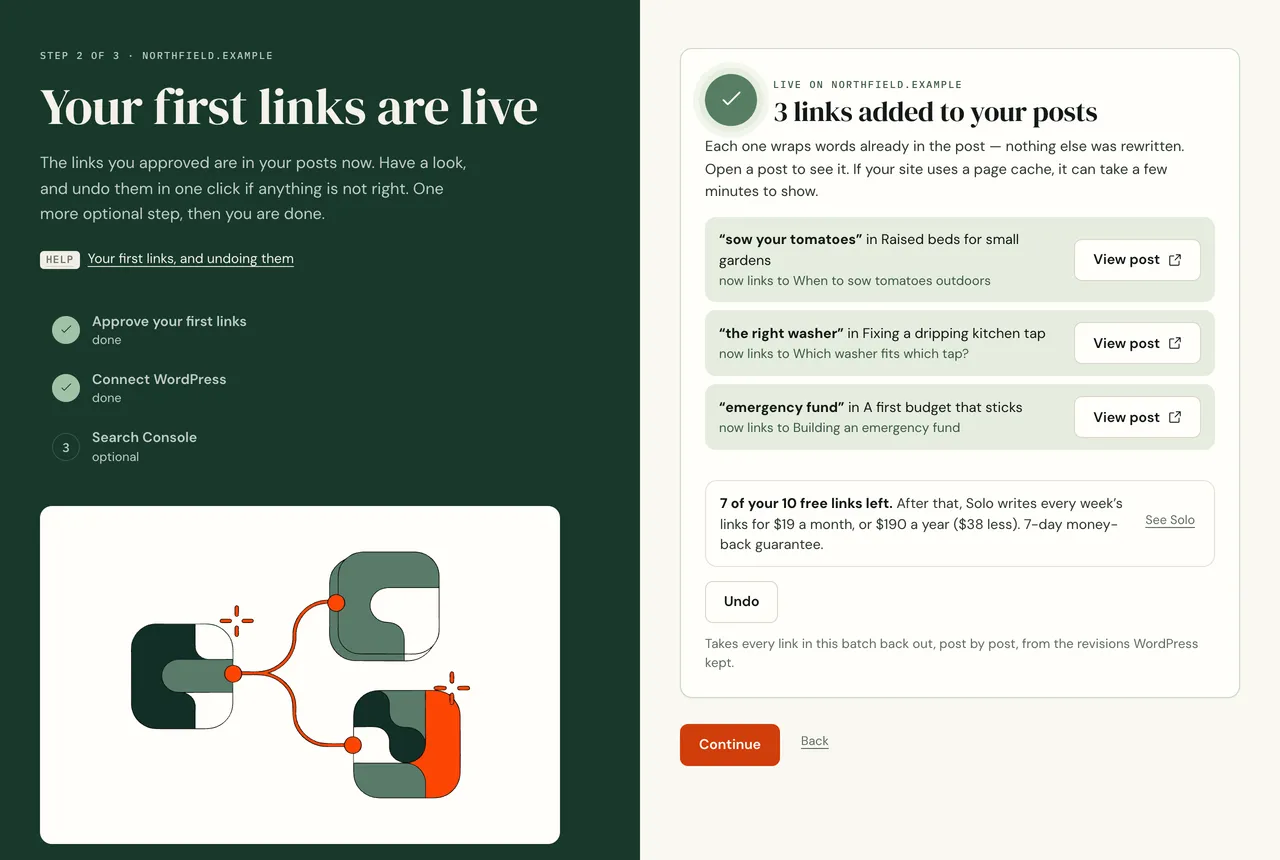
Each link wraps words already in the post. Nothing else was rewritten. If your site uses a page cache, the published post can take a few minutes to show the link. Open the post in the WordPress editor to see it straight away.
Undo the batch if you change your mind
Press Undo, then Yes, undo it. Silotree takes every link in this batch back out, post by post, and the panel says Undone — your posts are as they were. You can also undo later, from Results → Changes & undo.
What you should see
The posts listed contain the new links, each one on words that were already in the post. On the free plan the panel also says how many of your 10 free links are left. Every later batch works the same way — see write and undo batches.
If it doesn’t work
- “2 links could not be added”
Each link that was refused says why underneath: a page builder, words that have changed since, an editor holding the post open. Find the reason in a link didn’t land.
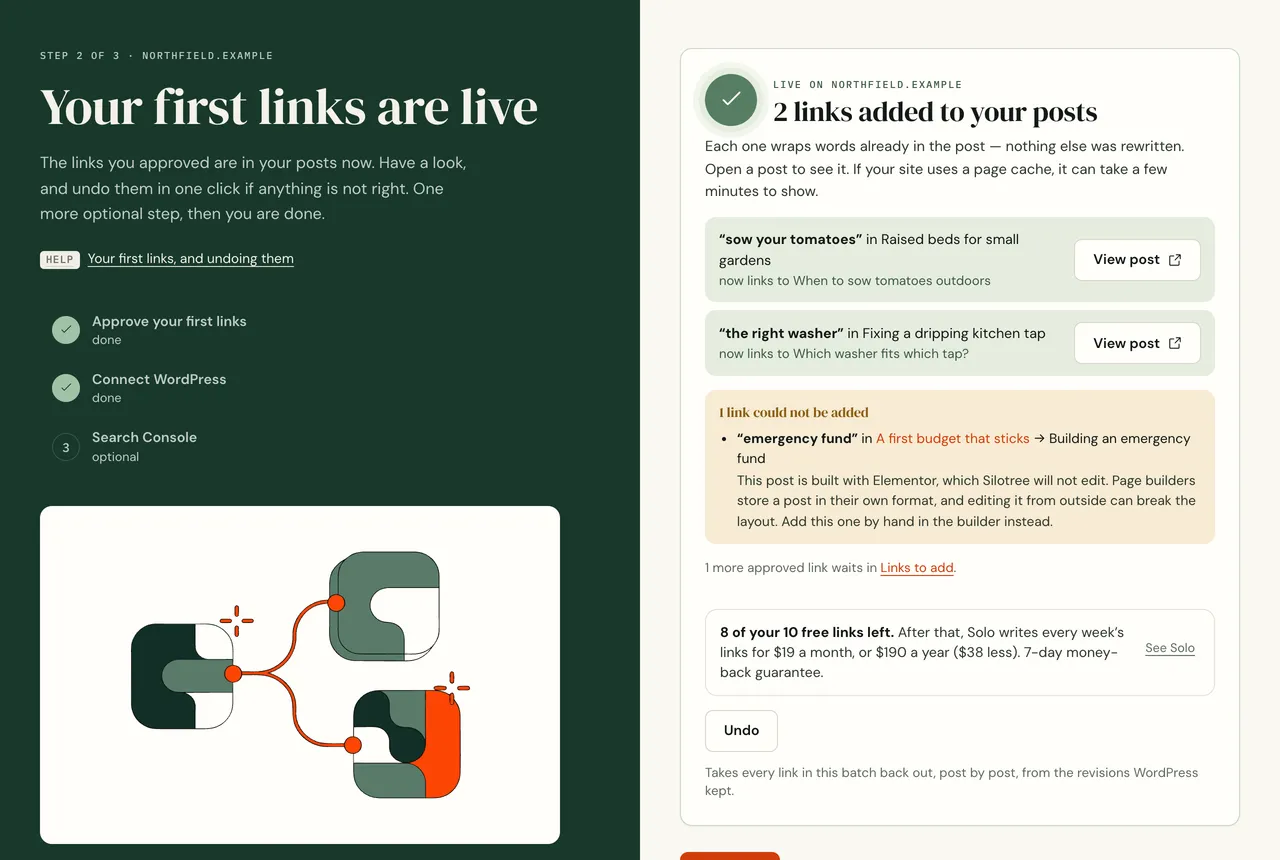
A refused link names the reason. The other links were still written. - “Your approved links are not in your posts yet”
The write failed as a whole and nothing was changed. Press Try again, or write them later from Links to add. If it fails again, check the plugin can reach Silotree.
- Revisions are turned off on your site
Silotree will not change a post it cannot put back. Turn revisions on (remove
WP_POST_REVISIONSset tofalseor0inwp-config.php) and try again.