Sign up and claim the scan you just ran
When you create an account within 24 hours of running the free checker, Silotree takes over that scan instead of reading your site again, and opens it with your first links ready to approve.
Steps
Press the button under your audit
At the foot of your audit (see how to run your first scan), press the button that offers to approve or fix what it found — for example Approve these 3 links free or Fix my 12 unlinked posts. It opens the sign-up page with your site filled in.
You can also sign up from the sign-up page directly and type your address there.
Create your account with an email and a password
Make sure I’m new here is selected, then enter your email address and a password of ten characters or more — a short phrase you can remember works well. Press Create free account. No card is asked for.
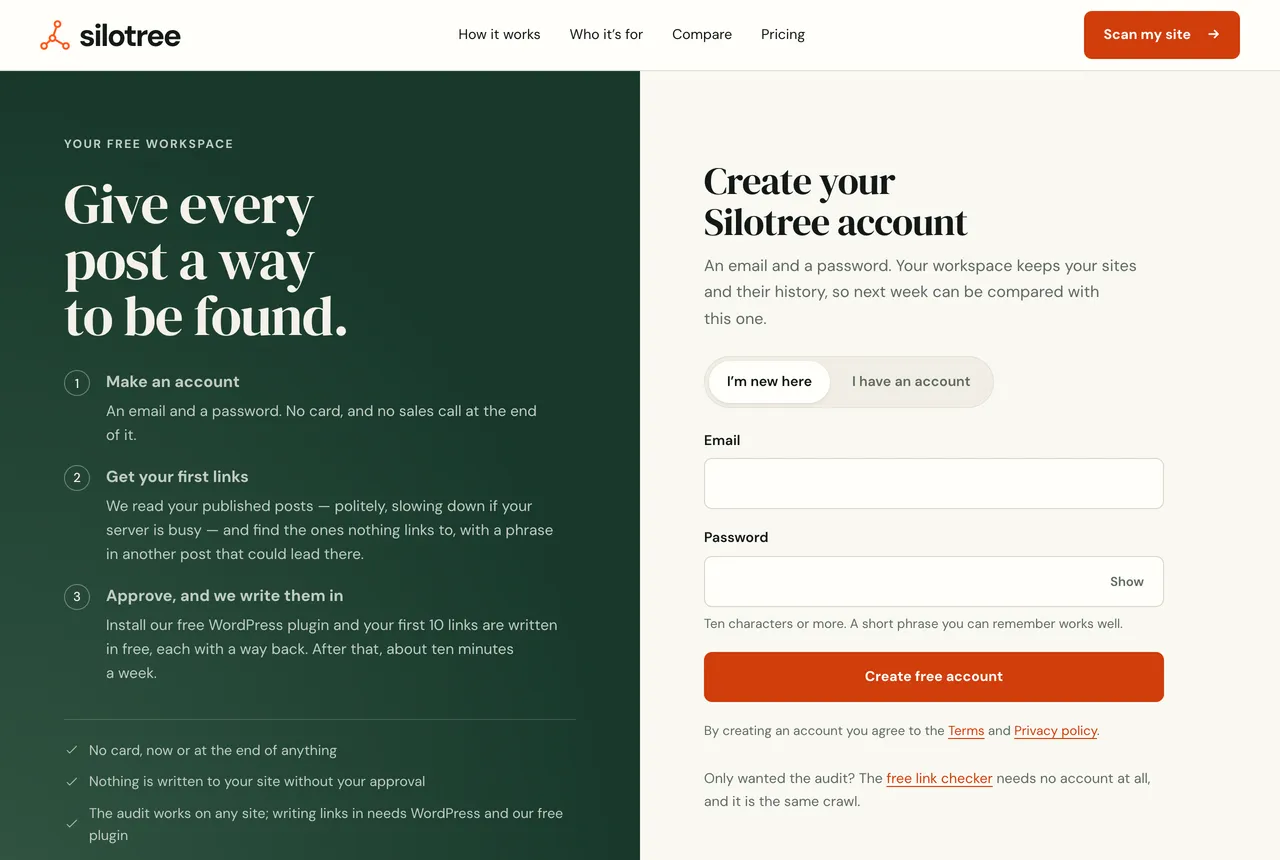
The sign-up page. When your scan can be claimed, the panel says “Your audit is waiting”. If you scanned in the last 24 hours, the page says Your audit is waiting, with the pages it read and the links it found, and that it opens as soon as your account exists — no second scan.
Let your audit open
Silotree takes over the scan and opens Getting started on your first links. If there was no scan to claim, it starts one now and shows its progress; this takes a few minutes for most sites.
What you should see
You are signed in, and the first onboarding step, Your first links are ready, shows the links most worth adding. Carry on with approving your first links.
If it doesn’t work
- “That address is already in use, or the password was wrong”
An account with that email already exists. Press Log in with this address instead, or use Forgotten your password? on the log-in side to set a new one.
- It scanned my site again instead of using my audit
A scan is claimed only when it finished less than 24 hours ago and covered the whole site. A scan of one folder, such as
/blog/, is not claimed, so Silotree reads the whole site instead.- “Your plan covers 1 site”
You are already signed in to an account that has a site on the free plan. Each free account covers one site; see plans and limits.
- The new scan stopped or read very few pages
Questions
Do I need a card to sign up?
No. The free plan needs no card, now or later. You only pay if you choose a paid plan in Settings.
Why did it scan my site again?
A scan is taken over only when it finished less than 24 hours ago, covered the whole site rather than one folder, and nobody else has claimed it. Otherwise Silotree runs a fresh scan.
Can I sign in with Google?
Not yet: accounts use an email and a password of ten characters or more. Google is used only to read Search Console, which you connect separately.