Fix posts competing for the same search
When two of your posts show up for the same searches, they split the clicks and neither does as well as one would. Competing posts finds them from your Search Console data, says which should win, and re-points your own links to it.
Steps
Connect Search Console
Competing posts reads which of your posts appear for which searches, so it needs Search Console — see connect Search Console. Without it, the screen asks you to connect your search data.
Open Advanced → Competing posts
Press Advanced at the foot of the sidebar, then Competing posts. The figures at the top count the contested searches, the impressions involved, and searches where three or more of your pages compete.
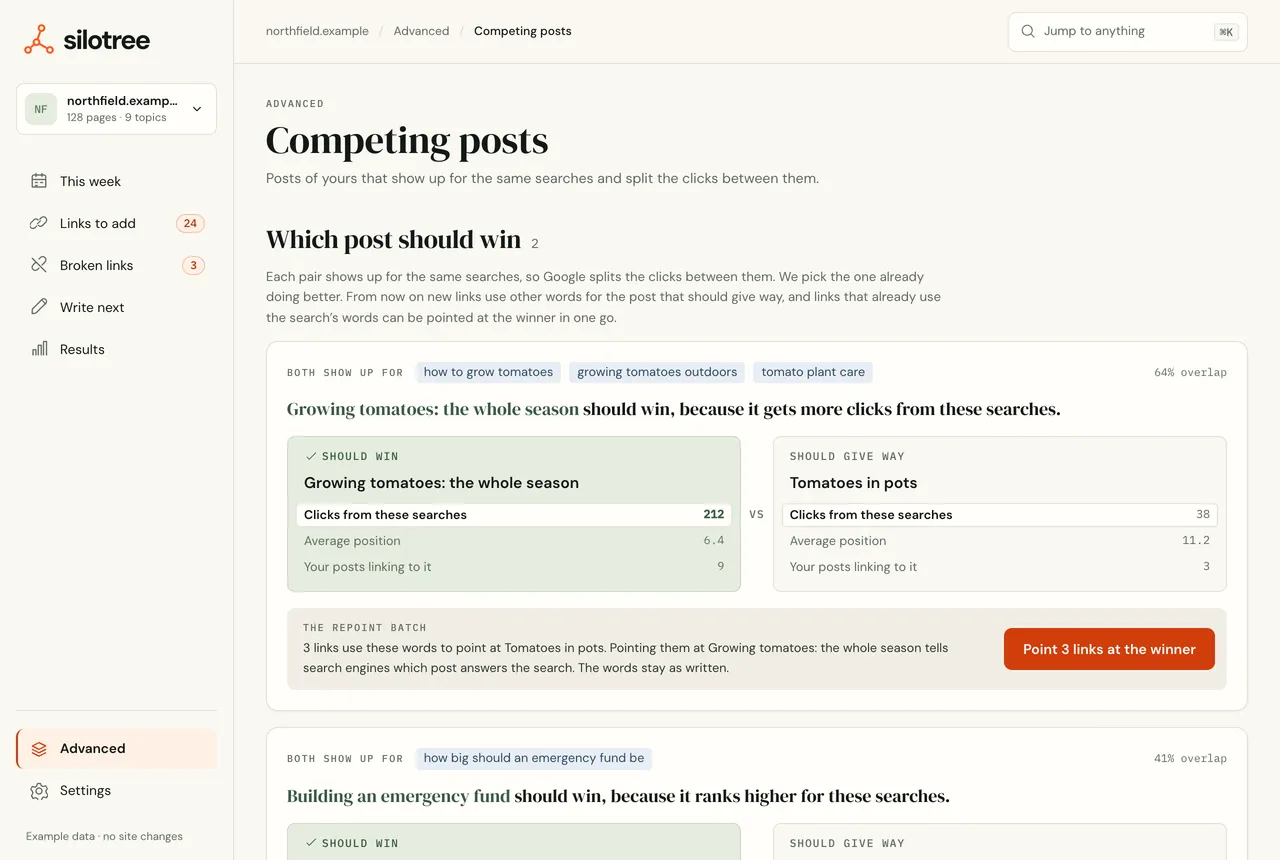
Each pair shows the shared searches, the overlap, and which post should win. Read which post should win, and why
Under Which post should win, each pair shows the searches both appear for and how much they overlap. Silotree names the post that should win and why — it gets more clicks from these searches, it ranks higher, or more of your posts already link to it — and compares clicks, average position and links in for both.
Press Point links at the winner
Press Point 3 links at the winner. Links in your own posts that use these searches’ words and point at the post giving way are re-pointed at the winner, as one batch with an Undo.
What you should see
The links now point at the winning post, and the batch is listed on Results → Changes & undo. Give Google a few weeks; the Results page shows how the posts do.
If it doesn’t work
- “Nothing to repoint”
None of your links use these searches’ words to point at the losing post. Re-pointing links is only one remedy; merging the posts or changing what one targets often matters more — see merge, redirect or re-target competing posts.
- The screen is empty
Search Console data arrives with the next scan after you connect. If it has, no two of your posts share enough searches to matter.