See every link in and out of a post
The plugin adds a Links in column to your posts list and a Links report for every published post: each link out, each post linking in, and the words every link sits on.
Steps
Open Posts → All Posts
In WordPress open Posts → All Posts (or Pages, or any public post type). The plugin adds a Links in column: how many of your posts link to each one.
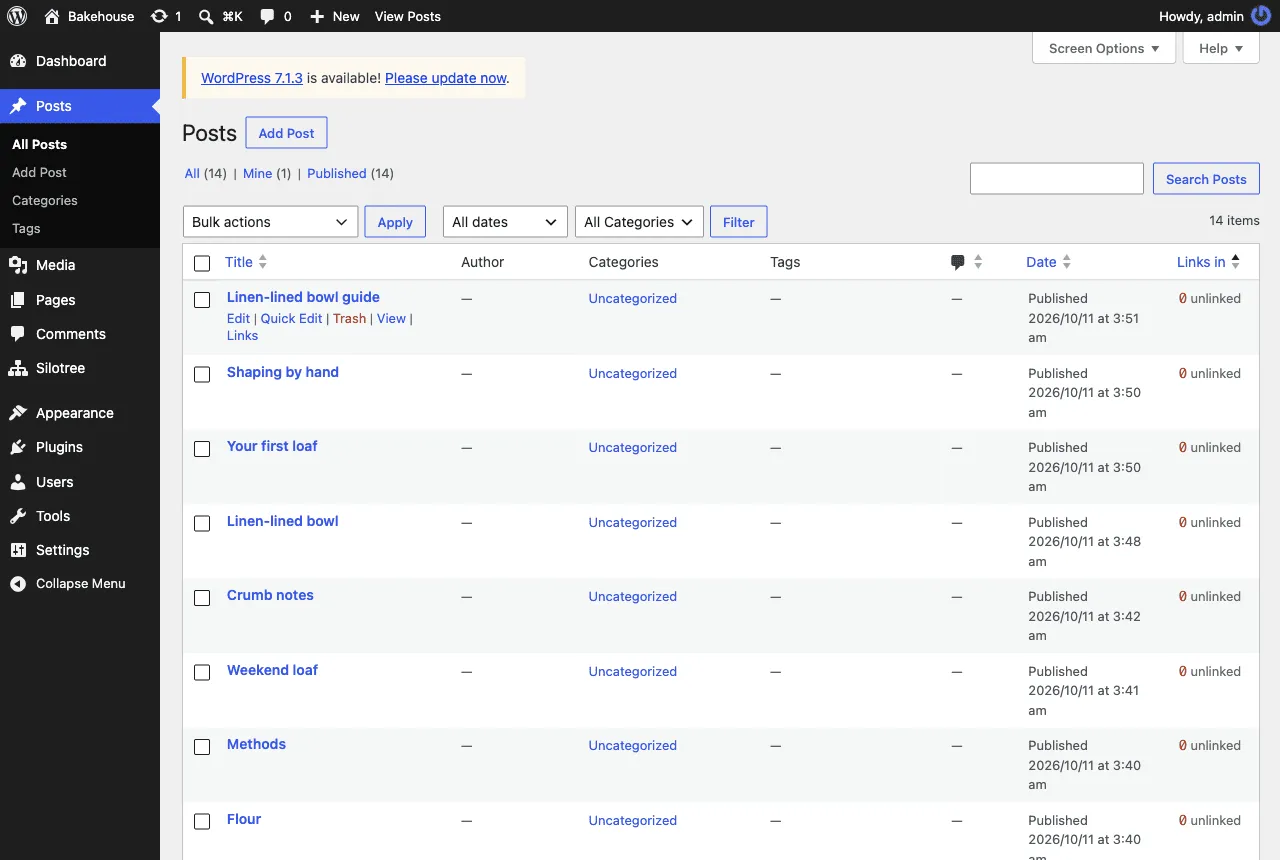
The Links in column. 0 is marked unlinked, 1–2 thin; a dash means not scanned yet. Sort by Links in to bring unlinked posts to the top
Click the Links in heading to sort. Posts nothing links to come to the top — the ones readers can only find through archives and search. Your front page is never flagged.
To find links for several at once, tick them and choose Find links for selected from Bulk actions. It reads up to 40 posts and changes nothing.
Hover a post and choose Links
Hover a published post and choose Links.
Read Links out and Links in
- Links out: every link in the post, with the words it sits on and where it goes. Broken links and links to other sites are tagged.
- Links in: every post that links here, and the words each one uses. The newest 100 are listed.
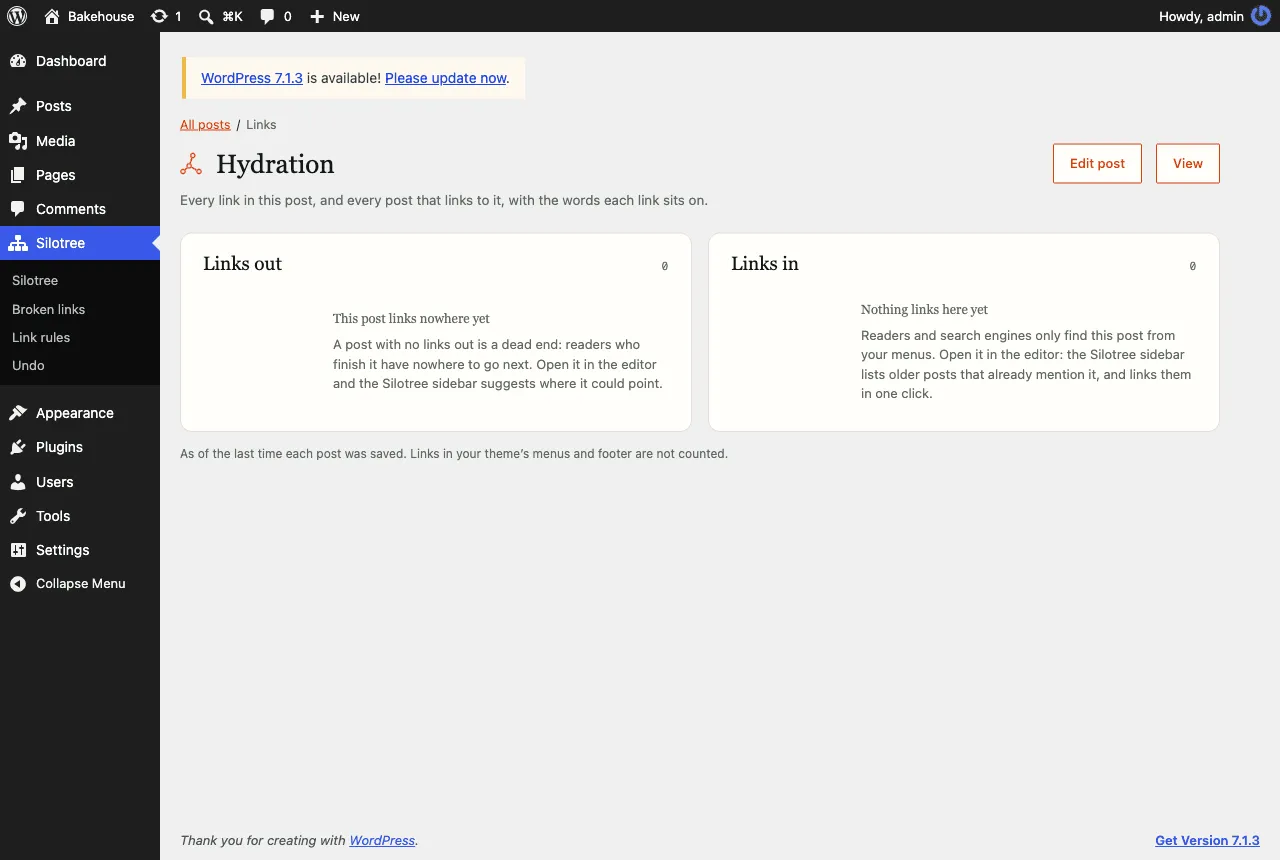
A post with nothing in or out. Edit post opens it with the sidebar ready to suggest links.
What you should see
You can see at a glance which posts are unlinked and, for any one post, exactly which words link where. Counts are as of the last time each post was saved, and links in your theme’s menus and footer are not counted. To add the missing links, press Edit post and use the editor sidebar.
If it doesn’t work
- The column shows a dash
The post has not been scanned yet. The scan runs in the background after activation; press Re-scan on the Silotree screen if it seems stuck.
- The numbers differ from the Silotree app
The plugin counts every link in a post’s content as saved. The app’s crawl reads your published pages and counts only links in the body of the article. For why that difference matters, read contextual vs navigational links.
- No Links action under a post
It appears on published posts only, for users who can edit them.